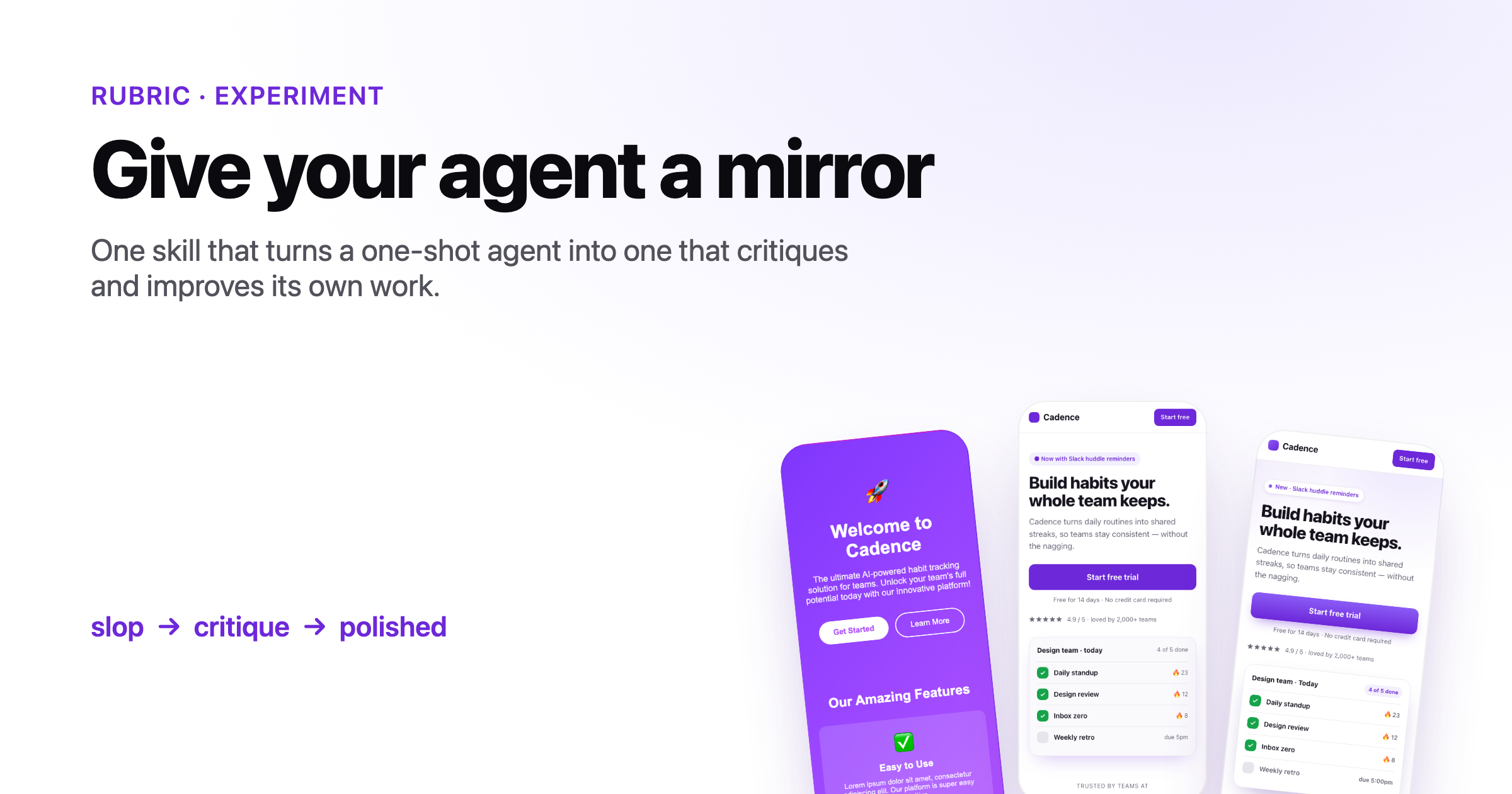
Give your agent a mirror
A skill for long-running agents that iteratively improve their own work
The loop we keep rebuilding
When we colocate a coding agent with the code it ships, the bottleneck stops being writing software and starts being judging it. A one-shot agent will happily hand you a landing page that looks like purple slop, a React component that takes two seconds to filter, or an onboarding flow that dead-ends on step three — and then call it done.
The fix isn't a better prompt. It's a better loop. We want a long-running agent (Pi, OpenClaw, Hermes Agent — anything that can run for a while and call tools) to do what a good engineer does: ship a draft, look at it, write down what's wrong, fix the worst thing, and look again.
That behavior fits in one skill.md. This post builds it up across three examples of increasing difficulty, starting from the most naive version imaginable.
Here's where we begin:
---
name: iterate-ui
description: Build a UI, screenshot it, critique the screenshot, and improve it.
---

# Iterate on UI

1. Build the feature.
2. Run the dev server and take a screenshot.
3. Look at the screenshot and list what looks bad.
4. Fix the worst issues.
5. Repeat until it looks good.That's it. Surprisingly, it almost works.
Example 1 — The purple-hell landing page
We pointed Claude Code at a deliberately lazy prompt — "build a mobile landing page for Cadence, a habit tracker for teams" — and let the skill above run. Iteration 0 is exactly the slop you'd expect: a centered purple gradient, a generic headline, emoji bullets, no hierarchy, no trust signals.

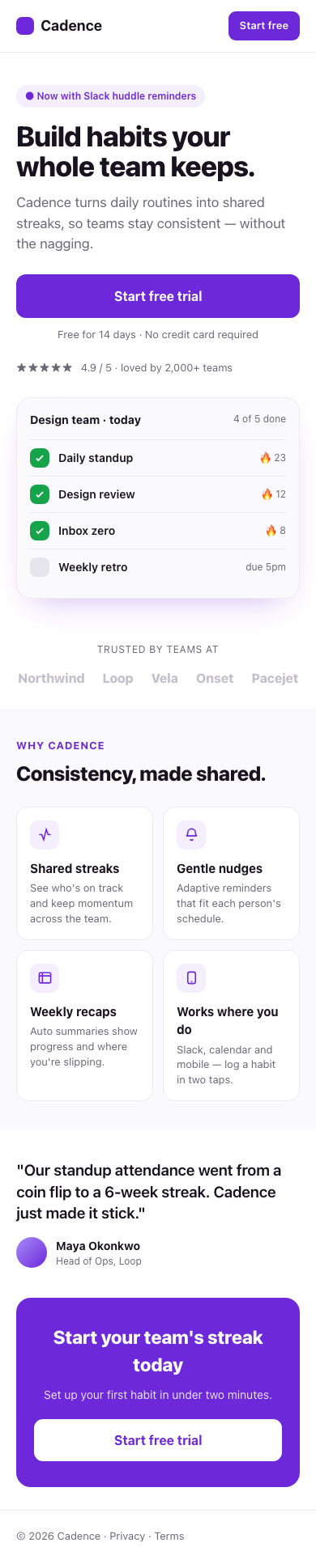

Just by screenshotting its own work and being asked "what looks bad?", the agent walked itself out of slop. But the loop was fragile. It would declare victory early, fixate on one detail, or "improve" something into a regression — because "until it looks good" has no definition. The skill needs a rubric and a budget.
---
name: iterate-ui
description: Build a UI, then critique and improve it against an explicit rubric for a fixed number of passes.
---

# Iterate on UI

1. Build the feature. Run it and screenshot at a fixed viewport (390×844 for mobile).
2. Score the screenshot 1–5 on each: visual hierarchy, color/contrast, type scale,
   spacing, CTA clarity, trust signals, "does this look generic/AI-made?".
3. Fix only the **two lowest-scoring** items. Re-screenshot at the same viewport.
4. Stop after 4 passes, or when nothing scores below 4. Keep a changelog.Example 2 — Make it fast, keep it correct
Looks are subjective; speed isn't. We one-shotted a "Transactions dashboard" React component rendering ~10,000 rows with filtering, sorting, and a live summary — built naively, with derived data recomputed on every keystroke and every row mounted at once.
The visual rubric is useless here. Performance work needs a measurable objective and a guardrail: the component has to get faster and stay correct. So before optimizing, the agent writes a behavior test suite (filter results, sort order, summary totals) that must stay green through every change, and a browser benchmark that measures mount time and filter latency.
The skill grows two requirements — a target you can measure, and a regression gate:
# Iterate on performance

1. Define the metric (e.g. p50 filter latency in ms) and write a benchmark that prints it.
2. Write/keep a test suite that pins correct behavior. It must pass before and after every change.
3. Each pass: form one hypothesis, change one thing, re-run tests + benchmark.
   Keep the change only if tests pass AND the metric improved. Otherwise revert.
4. Stop when you hit the target or gains flatten. Log before/after numbers each pass.Example 3 — Walk the onboarding like a user
The hardest case is a flow, not a screen. A single screenshot can't tell you that step three has no back button or that a validation error is a dead end. The agent has to use the product.
So we had Claude Code scaffold a five-step onboarding for Cadence, then drive it with computer use — actually filling fields, clicking through, and recording the run as a GIF. Where the agent hesitated or got stuck is exactly where a real user would.
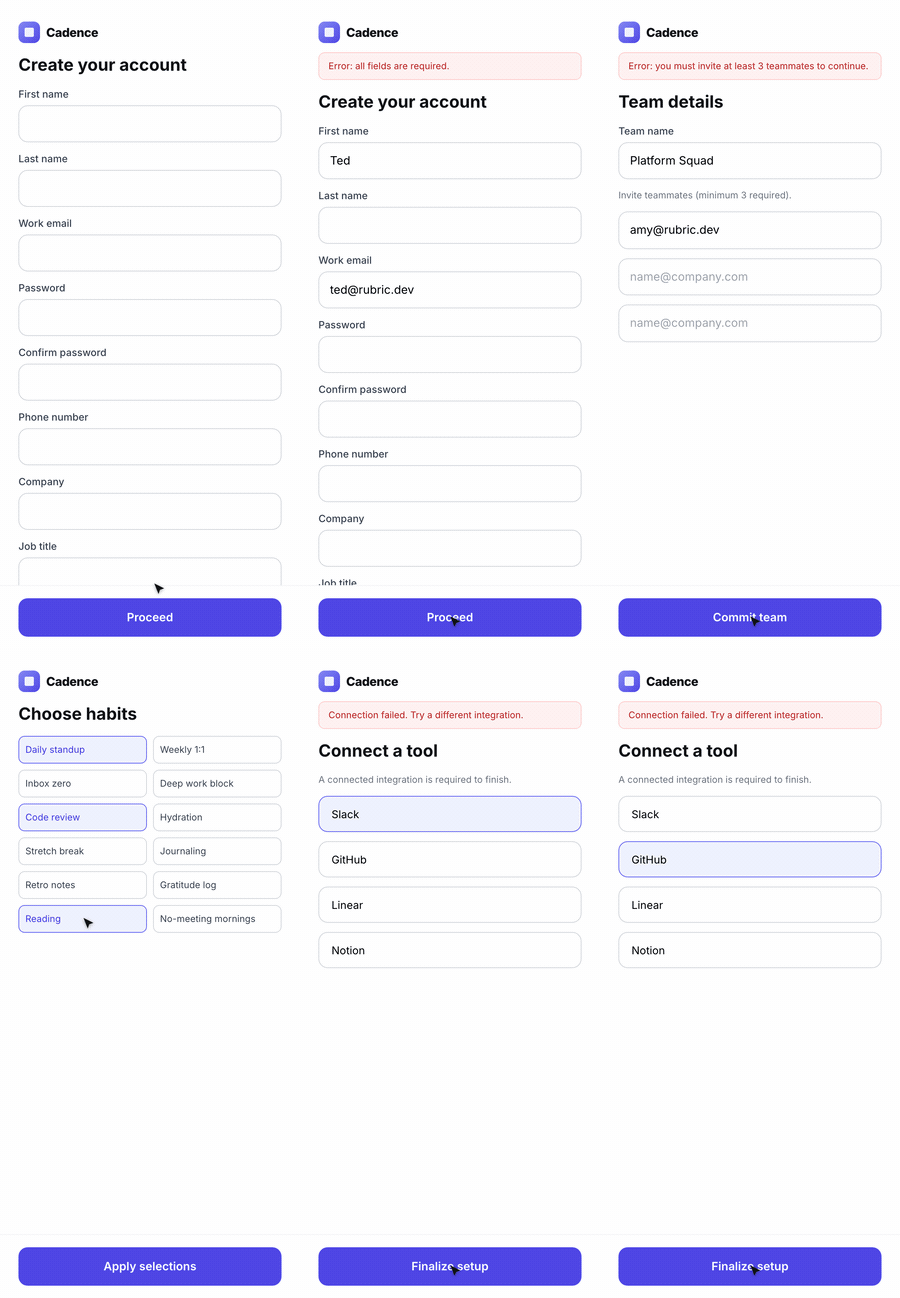
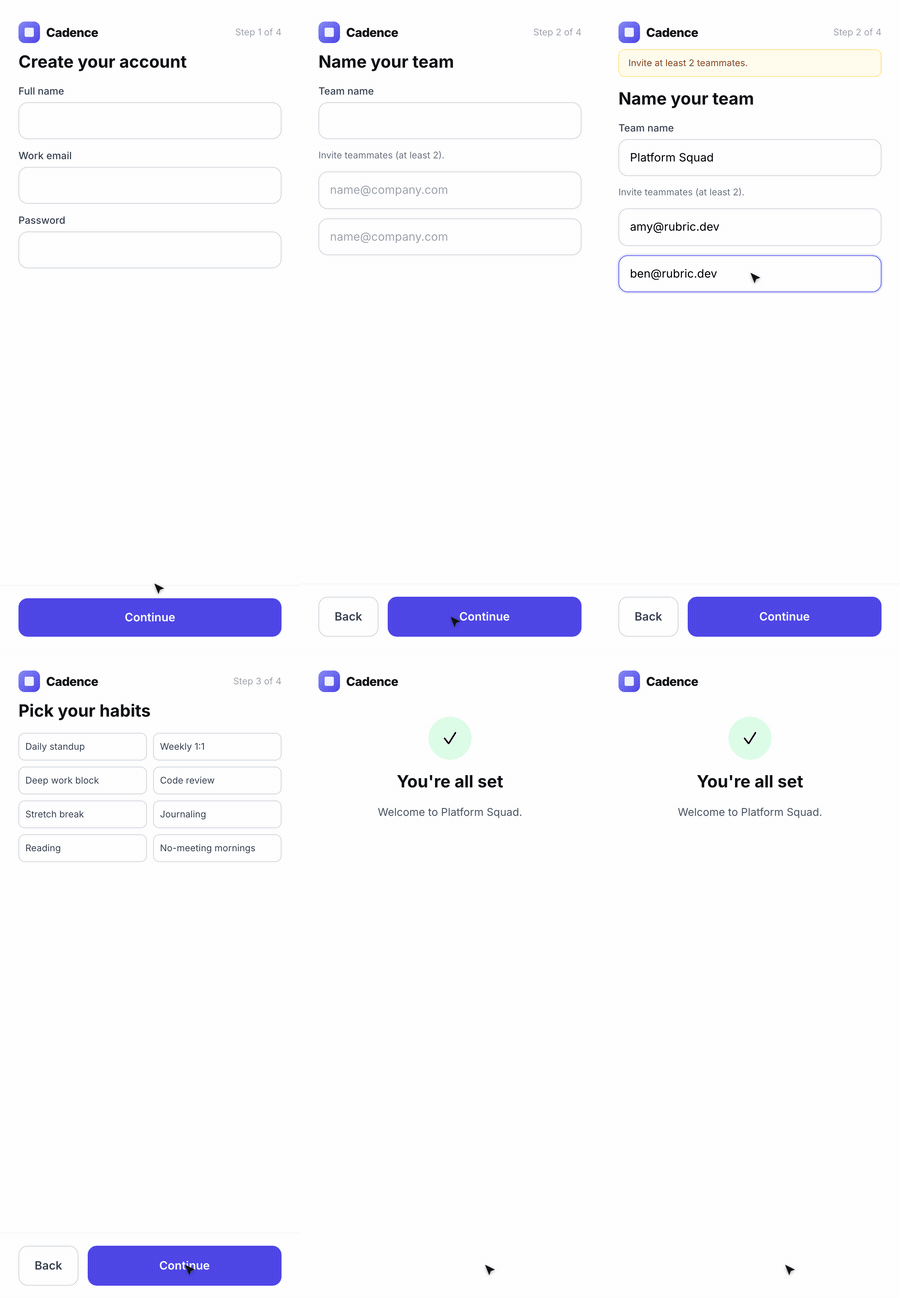
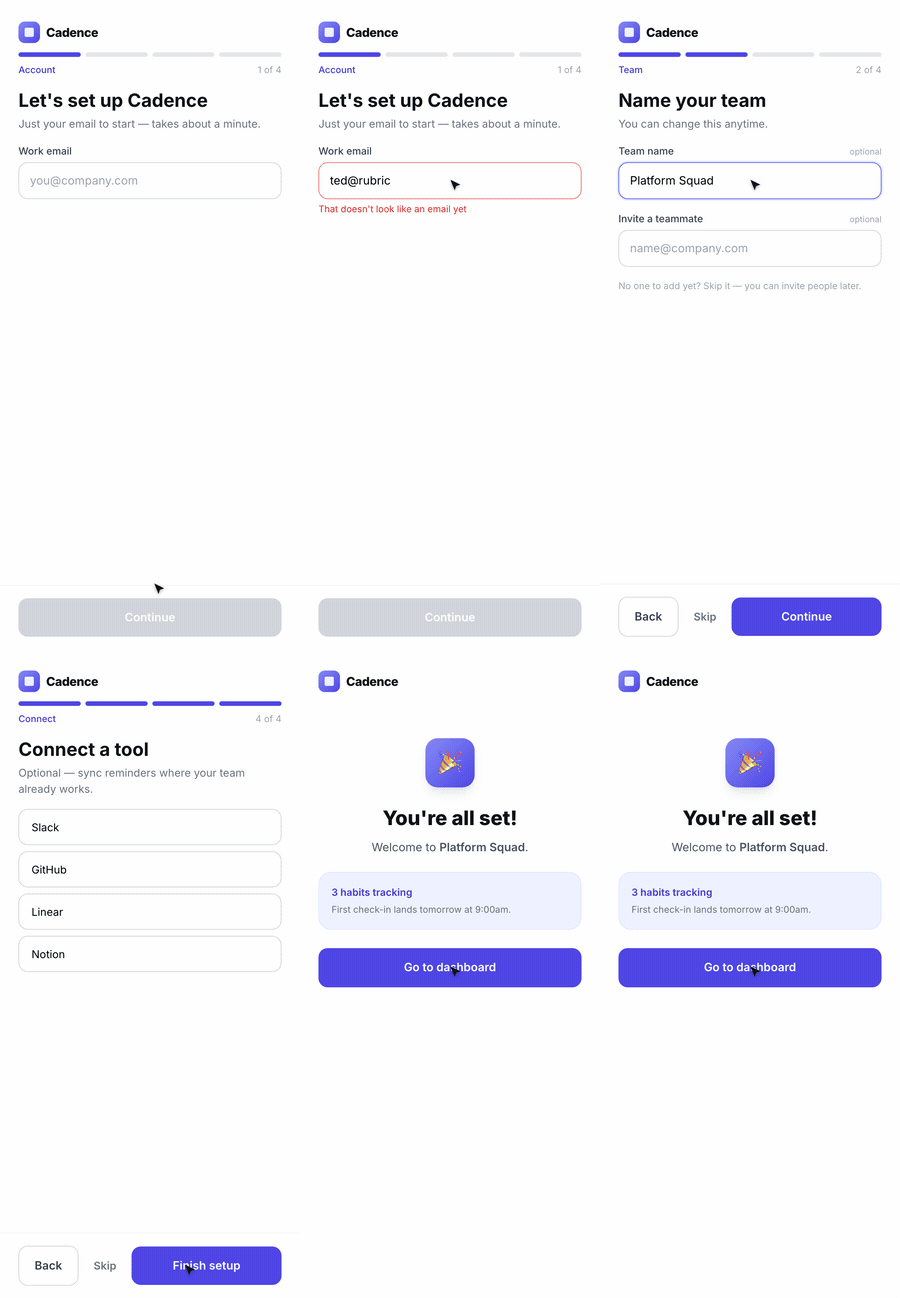
The final lesson for the skill: when the artifact is interactive, the success metric is "can the agent complete the task without confusion?" — so it has to exercise the feature end-to-end, not glance at it.
The skill
Put the three lessons together — explicit rubric, measurable objective with a regression gate, and exercising the artifact like a user — and you get one compact, copyable skill that works across UI, performance, and flows.
---
name: iterate
description: Improve your own work across iterations. After building anything, define how to judge it, measure the current state, fix the highest-impact problem, and re-measure — until it meets the bar or gains flatten.
when_to_use: After producing any artifact (a UI, a component, an API, a flow) where the first attempt is unlikely to be the best one.
---

# Iterate

The first version is a draft. Your job is the loop that follows.

## 1. Define the bar
Before improving anything, write down how this artifact will be judged:
- **Visual** → a 1–5 rubric (hierarchy, contrast, type scale, spacing, CTA clarity,
  trust signals, "does it look generic?"). Always screenshot at a fixed viewport.
- **Performance** → one measurable metric (e.g. p50 latency in ms) plus a benchmark
  that prints it, and a test suite that pins correct behavior.
- **Flow / interactive** → a concrete task to complete; success = the artifact can be
  used end-to-end without confusion. Drive it with browser/computer use, not a glance.

## 2. Measure the current state
Run it and capture evidence (screenshot, benchmark number, walkthrough recording).
Write down the top problems, ranked by impact.

## 3. Change one thing
Fix only the highest-impact problem this pass. Don't refactor opportunistically.

## 4. Re-measure and gate
Re-capture the same evidence at the same settings.
- Keep the change only if it improved the bar AND broke no guardrail (tests stay green).
- Otherwise revert and try the next hypothesis.

## 5. Stop deliberately
Stop when you meet the bar, run out of budget (cap the passes), or gains flatten.
Keep a short changelog: what was wrong, what you changed, before → after.Closing
None of the three runs needed a smarter model — they needed a model that looks at its own output before declaring done. A screenshot, a benchmark, a walkthrough: cheap mirrors that turn one-shot generation into something closer to craft. Drop the skill above next to a long-running agent and let it grade its own homework.
Don't take our word for it — compare all three iterations live: read the landing pages, type into the dashboards to feel the speedup, and click through the onboarding flows yourself.
Acknowledgments
Thanks to the team for letting an agent redesign a landing page live, twice.
If this sparked an idea for your roadmap, let's talk.
Rubric is an applied AI lab helping teams design and ship intelligent products.